Visual Effects Video Engine That Builds Scenes for You

Steve AI’s motion effects video generator runs on a motion engine that understands how a story should move. It reads the timing, the layout, and the mood of your message, then brings everything to life without asking you to set a single keyframe.

The Steve AI motion effects video generator is the easiest available online motion graphics maker. Create AI videos without needing any complex motion graphics software.
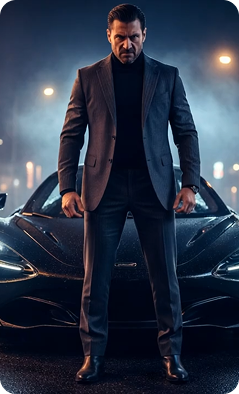
Cinematic still image generated using Motion FX
brand-assets.softwareadvice
brand-assets.capterra
brand-img-5
brand-img-4
brand-img-3
brand-img-1
brand-img-2

Trusted by leading brands across the world

brand-logo
3M+ videos generated in 2024
500K+ non-English videos produced

The Fastest Way to Add Motion to Any Image

Whether you’re a creator, filmmaker, or business, Steve AI's AI Motion Effects Video Generator helps turn your visuals into high-impact videos in minutes.

Effects That Elevate Your Visuals

With AI Motion Effects Video generator, add natural movement, stylish transitions, and eye-catching enhancements to the images or clips you already have. No editing experience to use Steve AI's Motion Graphics Software.

Motion That Makes Any Clip Feel Dynamic

With Steve AI, turn static product images into dynamic video ads or listing clips. Easily generate high-impact visuals with our picture-to-video maker and create stunning visual effects video clips in minutes.

Motion Templates Built for Social Trends

Experiment with viral motion effects such as Ghibli, manga, 3D figures, and more, instantly adapting to the social buzz. Create trend-ready AI Motion Effects Video content without needing complex Motion Graphics Software.

Made for Any Creator Who Wants Better Video, Fast!

From product shots to travel photos, Steve AI's motion graphics video creator transforms simple visuals into high-performing motion design video clip in minutes. That too without using complicated motion graphics softwares.

Start Simple. Add Motion. Create Anything.

Turn any image or even a screenshot into moving visual content and create engaging visual effects video clips without rebuilding your project from scratch. Try trending AI motion effects without prior editing experience.

Frequently Asked Questions about our AI Motion Effects Video Generator

How to create motion effects videos?
You can create high-quality AI motion effects videos on Steve AI by selecting an image, and then use the trending effects available with just a click and no prompt.
If you want a fast, AI-powered motion graphics and AI motion effects creator, Steve AI is one of the easiest options available. It automates design, animation, and timings, which makes it perfect for creators who want premium results without complex workflows.
Motion graphic videos created with Steve AI cost a fraction of traditional production. Since characters, animations, and visuals are generated instantly using AI, there is no need for expensive design or animation teams.
Motion graphics focus on animated text, shapes, icons, and visual elements. AI Motion FX videos are often used in explainers, product demos, or marketing videos, where animation usually involves storytelling and character movement. With Steve AI, you can pick both, calculating your business needs.
Canva offers animation within the platform. To create AI motion FX videos with less hassle, half the cost, and create a variety of graphics such as automated scene creation, storytelling, and smart AI movement, Steve AI is better suited.
You can find a wide range of motion graphics templates directly inside Steve AI. Choose a template, add your script, and the AI automatically adapts visuals and animations. All templates are fully editable.

Here’s What Our Users are Saying

I needed AI motion effects for a last-minute campaign. I didnt want to spend on a full After Effects setup so, I picked Steve AI. I could easily create a clean 30-second motion graphics video in minutes using their visual effects video generator and AI clip maker feature.

Priya Janardhan

Small Business Founder, CA

My channel needed custom YouTube outro motion graphics, but I’m not a designer at all. The AI Motion Effects handled the motion, timing, and polished my images into a clip. All I did was - hit generate

Emila Williams

YouTuber, NYC

Keeping the attention span of students while explaining complex ideas has always been a struggle. These AI motion graphics templates within Steve AI handy! And no, I didn't have to learn After Effects Software.

Dr.Sebastian

Online Educator, CA

end section

If your Visuals don’t Move People, they won’t Move Results, and we FIX that!